
How to Build a Project Timeline From a Template in 5 Minutes
Skip the blank canvas. Apply a ready-made timeline and adjust the dates to fit your project.
Start from a real timeline, not a blank grid
A blank Gantt chart is a lot of typing before it looks like anything. GanttFlow includes ready-made templates covering product delivery, marketing campaigns, construction, software releases, CRM implementation, and more. Each one is an illustrative starting point with lanes, tasks, dependencies, and milestones already in place. Its dates and durations are examples, not estimates for your project.
Open the template gallery
Click the template icon in the toolbar. Free and Pro plans can both browse the gallery and view each template thumbnail. Open the public template directory for detailed previews before choosing one. Applying a ready-made template requires Pro.
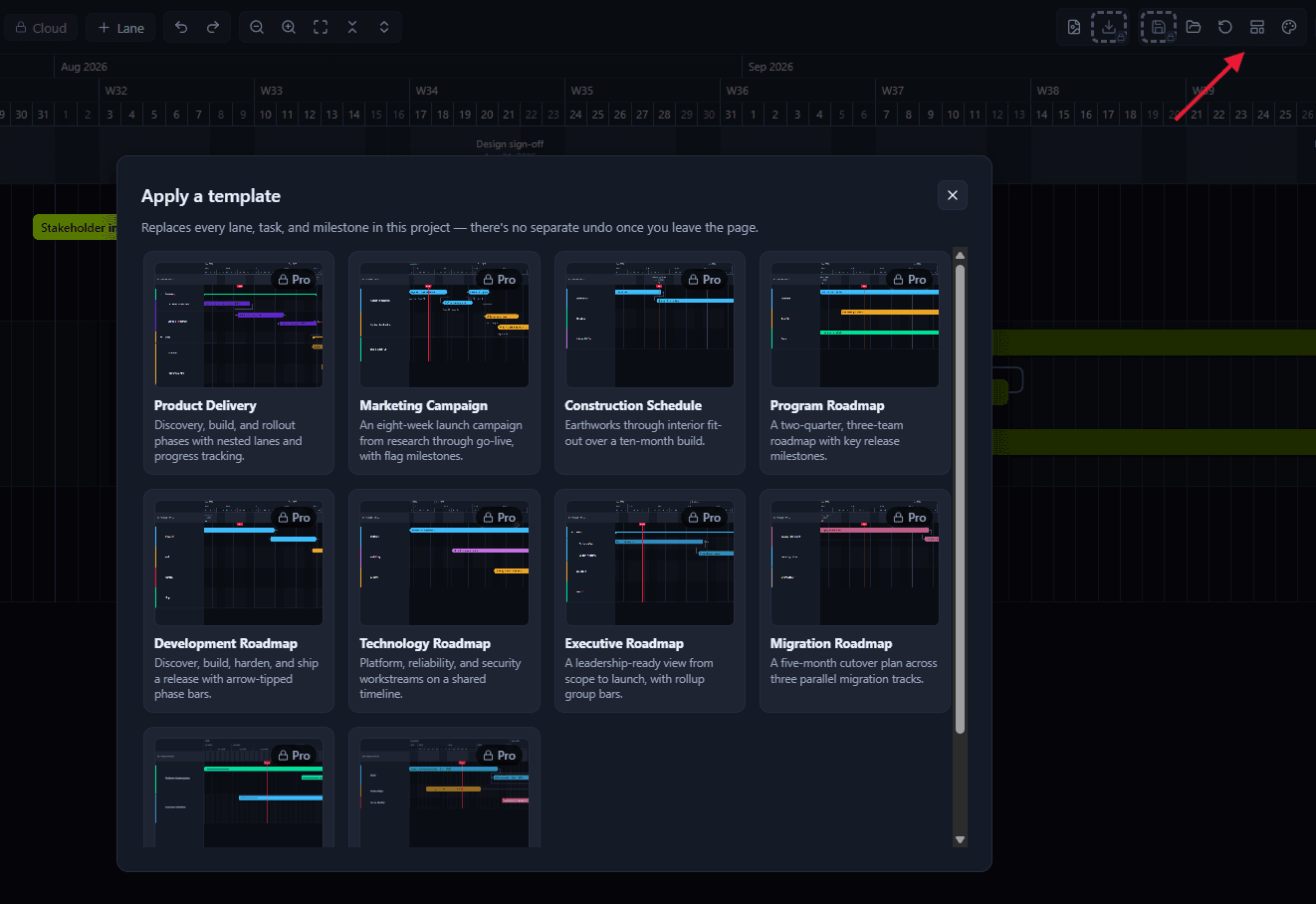
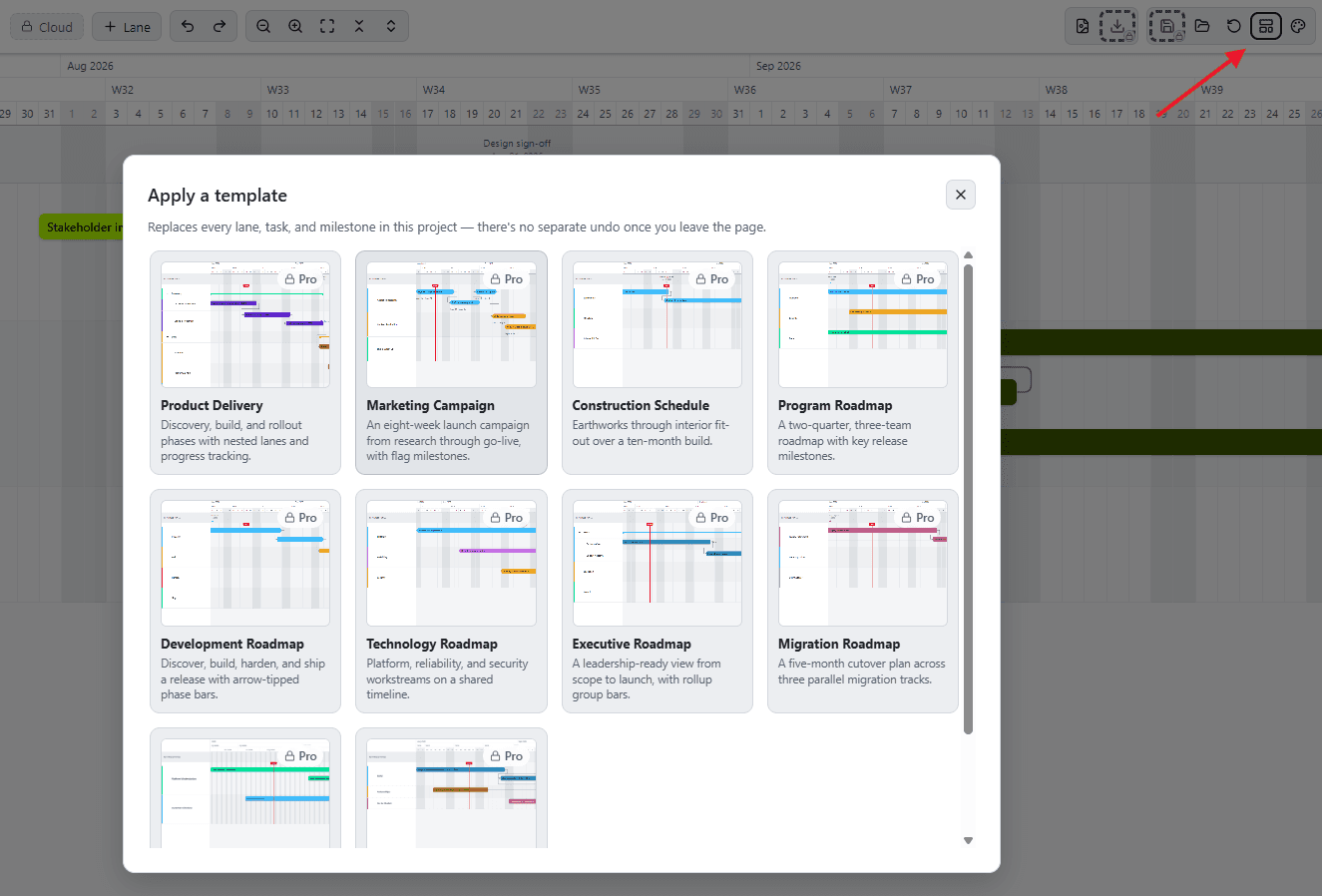
Pick a template and apply it
Applying a template replaces your current project with its lanes, tasks, dependencies, and milestones already in place.
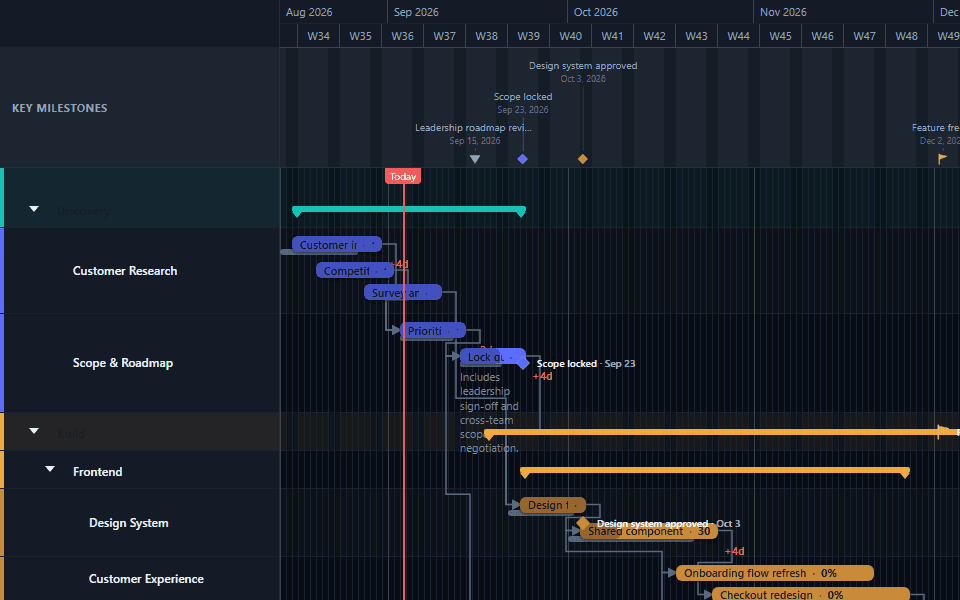
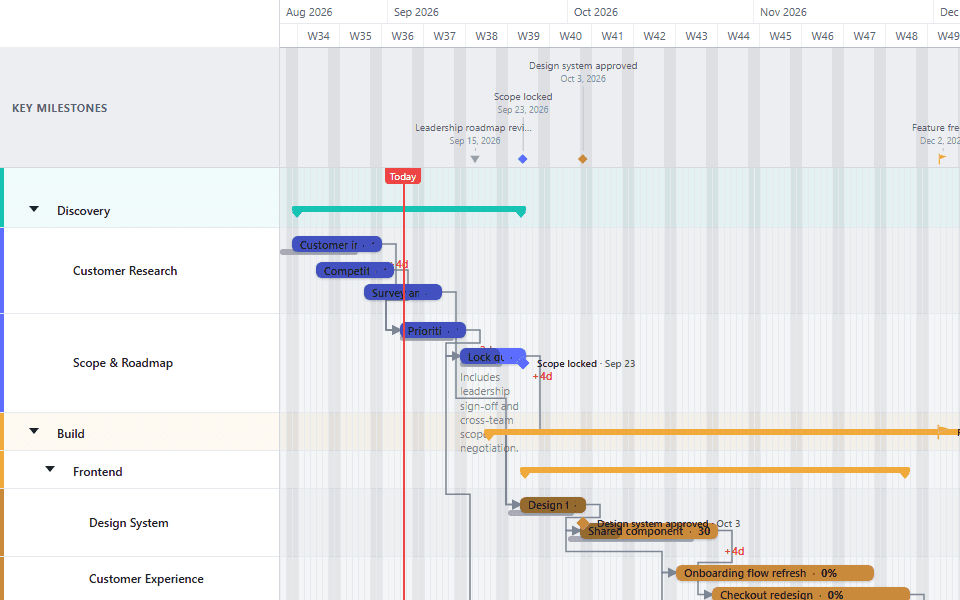
Adjust the dates and names
Template dates are relative to today, so the timeline lands somewhere sensible the moment it loads. Rename tasks to match your project and drag anything that needs to move.
Why start from a template instead of a blank chart
The time a template actually saves isn't typing task names, it's the structural decisions: how many lanes to use, which tasks should be linked to which, where the milestones belong, and roughly how long each phase should take relative to the others. A blank chart makes you decide all of that from nothing. A template gives you a plausible answer to start from, which you adjust rather than invent.
This matters most in the first ten minutes of a new project, when the chart doesn't have to be right yet, it just has to exist. A template applied and lightly renamed produces something you can show someone and get feedback on. A blank chart at the same point in time is still mostly empty.
Matching a template to your project
Every template models a specific kind of work, and picking the closest match matters more than picking the one with the most familiar-sounding task names.
Match on the shape of the work, not the industry label. A template built for CRM implementation and one built for ERP implementation share a lot of structural DNA: phased rollout, data migration, user acceptance testing, go-live, even if your project is neither of those specifically. If your project follows a similar phased-implementation shape, either is a reasonable starting point regardless of the label.
Match on whether there's a fixed external date. Product Launch and Marketing Campaign both model work anchored to a date that can't move, like a release day or a campaign go-live. If your project has a similar immovable deadline, start there rather than from a template built around continuous delivery with no fixed end.
Match on the audience for the chart, not just the work. Executive Roadmap and Project Portfolio are built for a leadership audience and use a coarser, higher-level structure than a working team template like Product Delivery. If the chart's first job is a steering committee presentation rather than day-to-day task tracking, start from one of those instead.
The public template directory shows a full preview of every option, which is worth browsing in full before applying one, since the thumbnail alone doesn't show the dependency structure or milestone placement underneath.
What a template actually gives you
A populated lane structure. Templates are organized into lanes that reflect how that kind of project is typically broken down, by workstream, by phase, or by team, depending on the template. Renaming lanes is usually the first and fastest edit.
Dependencies already drawn. The tasks that should logically follow one another are already linked with the appropriate dependency type. This is often the single biggest time saver, since drawing dependency links correctly on a blank chart requires understanding four different link types and applying the right one to every pair of related tasks.
Milestones placed where they belong. Key deliverables and decision points are already marked as milestones, connected downstream to the tasks that produce them where that connection makes sense.
Relative, not absolute, dates. Every template's first task is built to land near today when applied, so the chart is immediately usable rather than showing a plan that started last year or hasn't started for another decade. The specific durations are illustrative and should be adjusted to your actual estimates.
Common mistakes
Leaving the illustrative dates as if they were real. The most common mistake: applying a template and presenting its example durations as if they were calculated for your actual project. Every date in a template is a placeholder built to demonstrate the shape of a plan, not a schedule anyone estimated for your situation specifically.
Applying a template over work you meant to keep. Applying a template replaces the current project entirely. If you have real work in progress, save it as a separate project or export it to a JSON file first, since there's no way to merge a template into an existing chart rather than overwrite it.
Picking a template by task-name similarity rather than structural fit. A template with task names close to your project's vocabulary isn't necessarily the best structural fit. A template built for a different kind of work but a similar phased shape, dependency density, or audience is usually the better starting point.
Not adjusting the dependency structure for what's actually different about your project. A template's dependencies model a typical version of that kind of project. Your specific project may have a dependency the template doesn't show, or lack one the template assumes. Review the linked structure once you've renamed the tasks, not just the dates.
From template to a working chart
Once a template is applied and renamed, the natural next steps are usually to zoom the timeline to whatever scale suits the audience you're building it for, and to check the editor basics for saving, undo, and the rest of the everyday mechanics you'll use while shaping it into your actual plan.
Browse the full gallery on the templates page before committing to one. For a delivery plan, start with Product Delivery. For an external date, try Product Launch or Marketing Campaign. For leadership reporting, compare Executive Roadmap with Project Portfolio. For a phased implementation, CRM Implementation, Dynamics 365 Implementation, and ERP Implementation all share a similar rollout structure.
Common questions
- Can I browse templates without a Pro plan?
- Yes. Browsing the in-app gallery and the public template directory is available on every plan, including Free. Applying a template to your own project, which replaces its lanes, tasks, dependencies, and milestones in one step, needs a Pro plan. You can preview any template in full before deciding whether it's worth upgrading for.
- Will applying a template overwrite my existing project?
- Yes, completely. Applying a template replaces your current project's lanes, tasks, dependencies, and milestones with the template's own. If you have work in progress you want to keep, save it first, either as a separate cloud project or a manual JSON export, before applying a template into the same project.
- Are the dates in a template real, or do I need to change them?
- They are relative and illustrative, not real dates for your project. Every template is built so its first task starts near today when applied, but the specific durations, sequencing, and milestone placement are examples of a plausible plan for that kind of work, not a schedule calculated for your situation. Rename tasks and adjust dates to match your actual project before treating the chart as a real plan.
- How do I decide which template to start from?
- Match the template to the kind of work, not to the exact task names. A software or product launch fits Product Delivery or Product Launch; a fixed external date like a conference or regulatory deadline fits Product Launch or Marketing Campaign; an executive or leadership audience fits Executive Roadmap or Project Portfolio. Browse the full public directory before committing, since several templates cover adjacent but distinct scenarios.
- Do templates already include dependencies and milestones, or do I add those myself?
- Every template ships with its dependencies and milestones already in place, connecting the tasks that are meant to be linked. That is one of the main reasons to start from a template rather than a blank chart: the dependency structure and milestone placement for a typical project of that kind are already modeled, and you are adjusting an example rather than designing the structure from nothing.