
GanttFlow vs. Microsoft Project
A full project-management suite and a fast Gantt chart maker are built for different jobs. Neither one is simply the better tool; the right choice depends on what your project actually needs from a scheduling tool.
Free includes unlimited tasks, milestones, and a watermarked PNG export. No install, no license to manage.

Two different categories of tool
A heavyweight project-management suite is built to run project management as a discipline: resource leveling across a whole portfolio, cost tracking, complex scheduling algorithms, and enterprise-scale reporting. GanttFlow is built to do one thing well, fast: turn a set of tasks, dates, and dependencies into a clear chart you can share.
The comparison worth making is not which tool is more powerful in the abstract. It is which set of capabilities your specific project actually draws on, and what you are willing to spend in time and cost for the capabilities you are not using.
What a full project-management suite adds
- Resource leveling and capacity planning. Assigning named people or equipment to tasks and automatically detecting or resolving over-allocation across a whole portfolio of work.
- Cost and budget tracking. Rolling task-level cost and effort up into a project or portfolio budget view.
- Complex scheduling calculations. Automatic critical-path calculation, float, and constraint-based rescheduling across a large, deeply linked plan.
- Enterprise administration. Multi-project portfolios, role-based permissions, and integration with a broader project-management or resourcing system.
GanttFlow deliberately does not attempt any of this. It has no resource leveling, no cost tracking, and no automatic critical-path calculation. A plan built here shows structure and dependency, and the judgment about which chain of work controls the finish date stays with you.
What GanttFlow adds instead
- Speed to a usable chart. A blank chart to a shareable timeline in minutes, with no install, no project file format to learn, and no setup beyond signing in.
- A gentler learning curve. Reading and building a chart takes minutes to learn, without needing to understand resource pools, calendars, or constraint types a full suite requires for anything beyond the basics.
- A browser-based workflow. Nothing to install, and a project is reachable from any device you sign in from, on Pro's cloud sync.
- Cost matched to the job. A single, low monthly cost per account rather than a per-user enterprise license, which matters most for an individual, a small team, or a consultant who needs charts for client work rather than organization-wide portfolio management.
Where GanttFlow deliberately draws the line
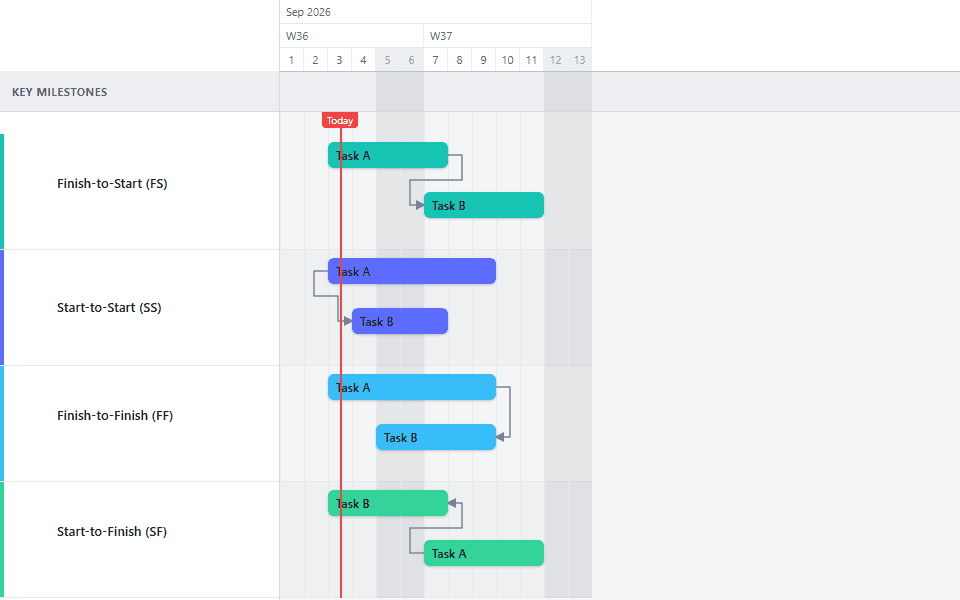
GanttFlow supports the four standard dependency types, milestones, manual progress tracking, and baseline comparison against an original plan. It does not model resourcing, does not calculate cost, and does not compute a critical path automatically. For a project whose scheduling problem genuinely centers on resource contention across many concurrent projects, that gap matters and a full suite is the right tool.
For a project whose real need is a clear, accurate, easy-to-update visual timeline (which describes most individual projects, client engagements, and team-level plans), the capability gap rarely gets exercised, and the speed and cost difference is the more relevant trade-off.
Making the call for your project
Start from what the project is actually asking for, not from which tool is generally considered more capable. A short implementation with a dozen sequenced tasks and a handful of milestones needs a chart, not a resourcing engine. A multi-year program managing shared specialists across a dozen concurrent workstreams is the case a full suite was built for.
See how to create a Gantt chart for the general build process, or start from the Dynamics 365 Implementation template or ERP Implementation template if your project resembles a phased platform rollout.