
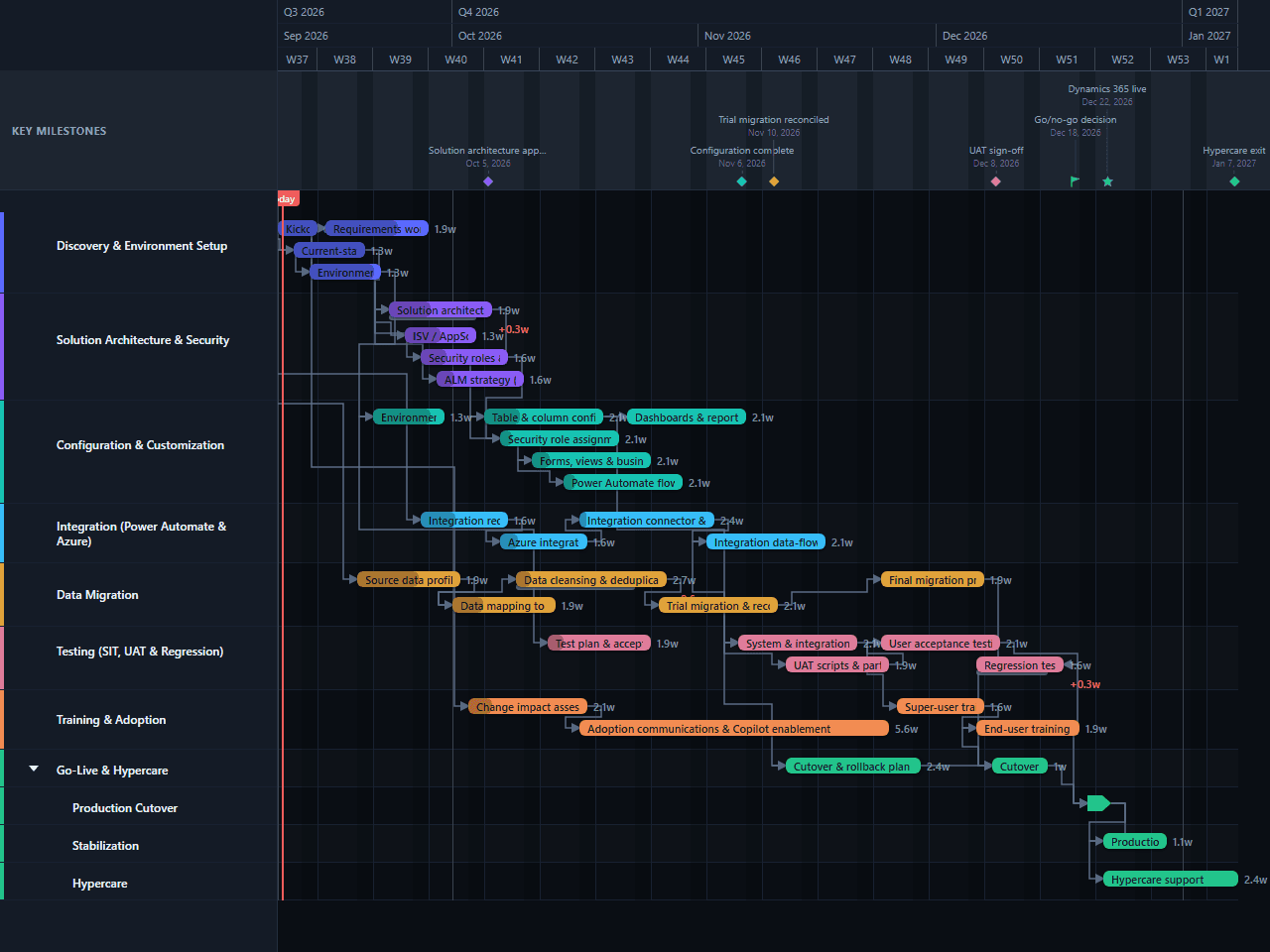
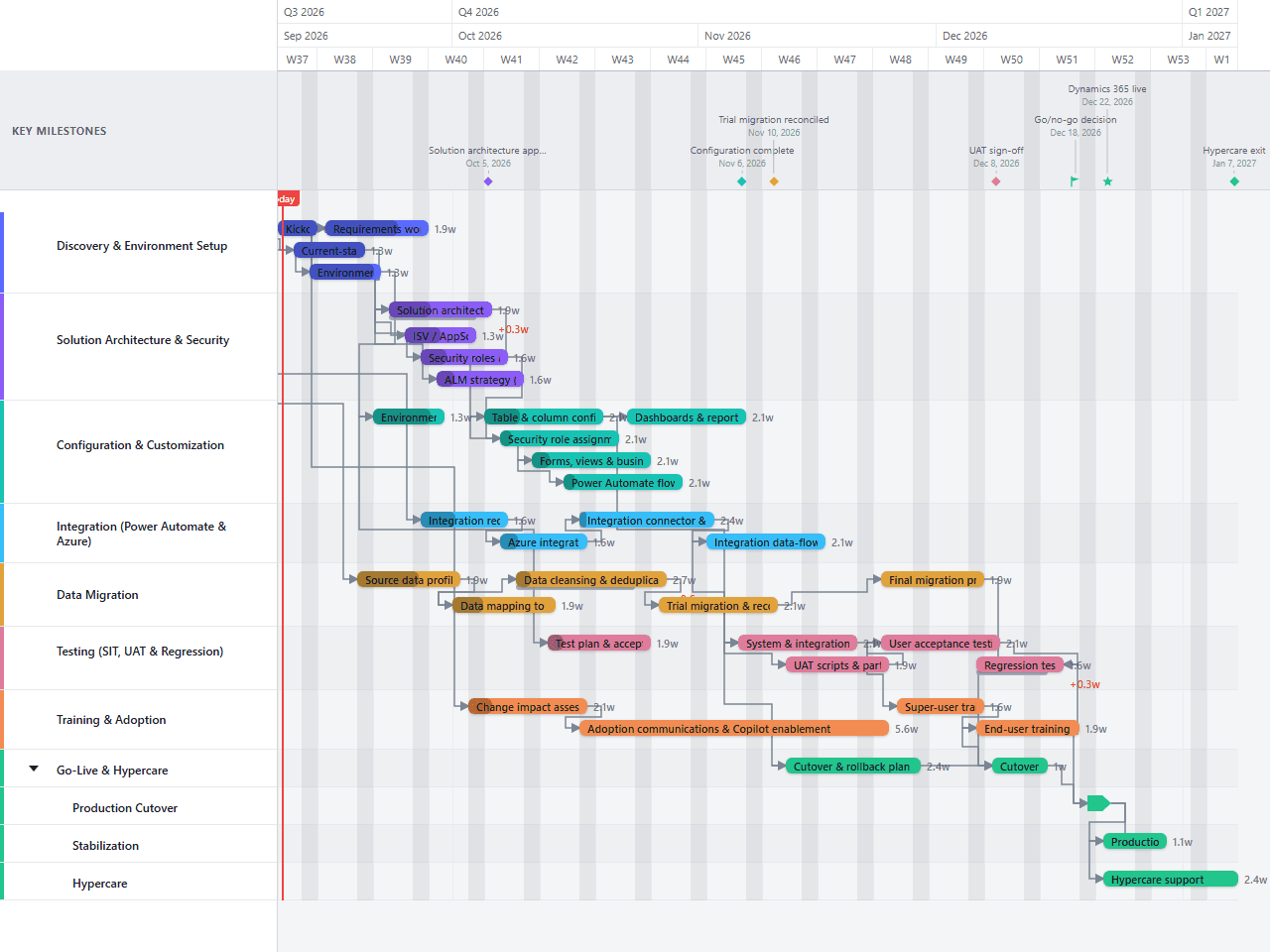
Dynamics 365 Implementation Gantt Chart Template
An editable Dynamics 365 implementation plan covering environment strategy, Dataverse solution architecture and security, configuration and customization, Power Automate and Azure integration, data migration, testing, adoption, and go-live hypercare. A practical starting sequence for implementation leads working with Dynamics 365 and the wider Power Platform — illustrative phases and durations, not an official Microsoft methodology.
- Discovery & Environment Setup
- Solution Architecture & Security
- Configuration & Customization
- Integration (Power Automate & Azure)
- Data Migration
- Testing (SIT, UAT & Regression)
- Training & Adoption
- Go-Live & Hypercare
Download the plan free as a CSV: phases, tasks, dates, and dependencies, ready to open in Excel, Google Sheets, or Numbers. Open it in GanttFlow instead and it drops in as a fully editable, presentation-ready Gantt chart (Pro).
A Dynamics 365 implementation has to account for environments and application lifecycle management before a single form gets configured, and integration work usually starts while security design is still being finalized. This editable template lays those activities out as an illustrative 17-week schedule so the overlaps and handoffs are visible from the start.
Who this Dynamics 365 implementation template is for
This template is for an implementation lead, functional consultant, or Power Platform architect planning a Dynamics 365 rollout. It is written at the level of environment strategy, Dataverse solution architecture, and configuration that applies broadly across Dynamics 365 apps, rather than being tied to one specific app's feature set.
It assumes environment provisioning, Dataverse solution and security design, configuration and customization, an integration workstream, one source-data migration, structured testing, adoption support, and a short hypercare period. The durations are illustrative estimates, not commitments from Microsoft or an implementation partner.
What is included in the 17-week Dynamics 365 plan?
Eight primary workstreams cover the work from kickoff to operational handoff. The final workstream separates production cutover, stabilization, and hypercare into child lanes so concurrent launch work remains readable.
Discovery & Environment Setup includes governance setup, current-state review, environment strategy across dev, test, UAT, and production, and requirements workshops with a fit-gap analysis.
Solution Architecture & Security covers the Dataverse solution architecture and data model, security roles and business unit design, ISV/AppSource app evaluation, and the ALM strategy for managed and unmanaged solutions.
Configuration & Customization provisions the environments, then configures tables and columns, forms and views, business rules, Power Automate flows, security role assignment, and reporting. Several activities overlap once the architecture direction is stable enough to build against.
Integration (Power Automate & Azure) covers integration requirements, Azure environment setup, connector and flow build, and data-flow validation for teams exchanging data between Dynamics 365 and other systems.
Data Migration runs from source profiling and mapping to the Dataverse schema through cleansing, a reconciled trial migration, and final migration preparation.
Testing (SIT, UAT & Regression) includes acceptance criteria, system and integration testing, UAT preparation, user acceptance testing, and regression testing that overlaps the tail end of UAT.
Training & Adoption starts with change impact assessment, continues through communications and Copilot enablement, and finishes with super-user and end-user training near go-live.
Go-Live & Hypercare shows the cutover and rollback plan, dress rehearsal, production migration and cutover, production validation, and hypercare through the end of the schedule.
How the workstreams overlap
The schedule begins with kickoff on day one. Environment strategy and requirements gathering start during the first week, while source-data profiling begins early enough to expose migration risk before configuration is too far along to change.
Solution architecture starts once current-state review closes and is also keyed to when the requirements workshops begin, not just when they finish. Table and column configuration is linked directly to solution architecture finishing, so the first real build work never starts ahead of the design it depends on. Security design, ISV evaluation, and ALM strategy run in the same window without a drawn dependency between them and the arrows around Kickoff and Solution Architecture: three parallel workstreams that a reader can already see starting close together from their bar positions, without every relationship needing its own line. Integration work follows a similar pattern: requirements begin during discovery, Azure setup begins when those requirements close, and connector build overlaps configuration rather than trailing behind it.
System testing runs through the second half of the plan. UAT preparation starts before system testing finishes, and regression testing runs alongside the tail of user acceptance testing rather than waiting for it to close out completely. Training and cutover readiness also overlap that window, which keeps the schedule to 17 weeks without pretending that testing, adoption communications, and cutover planning can happen in a final-week rush.
The final chain is intentionally firm: final migration preparation, end-user training, and the cutover and rollback plan all feed the dress rehearsal; the rehearsal feeds production cutover. The Dynamics 365 live milestone falls at the end of cutover, followed by validation and hypercare through the end of the schedule.
How to adapt the template
Replace the illustrative dates
Set kickoff to the real start date, then replace each duration with an estimate from the person or team doing the work. Keep the 17-week version as a reference only if its assumptions fit your scope.
Confirm the app and modules in scope
Rename the configuration and integration tasks to match the specific Dynamics 365 app (Sales, Customer Service, Field Service, or another) and the modules being implemented. Remove tasks that don't apply, or split configuration into one lane per app if several are in scope at once.
Decide ALM early
Confirm managed-versus-unmanaged solutions and how changes will be promoted across environments before configuration starts. Revisiting this decision mid-build usually means repackaging work that's already done.
Name the decision owners
Assign owners for architecture sign-off, security approval, UAT sign-off, the go/no-go decision, and hypercare exit. A milestone without a named decision maker is only a date on a chart.
Baseline after architecture approval
Once the solution architecture, security model, and migration assumptions are agreed, save the baseline. Review any variance at the weekly project meeting and move the go-live milestone only through the agreed change process.
Limitations of this example
This is a schedule template, not a complete implementation method. It does not calculate team capacity, licensing costs, storage or capacity planning, ISV app procurement timelines, budget, or the impact of a multi-environment or multi-region rollout. It also does not replace a RAID log, detailed test scripts, a data reconciliation workbook, or a cutover runbook.
The 17-week duration is illustrative. A single-app rollout with clean data and limited customization may finish sooner. Multiple apps, extensive customization, several integrations, or a phased environment strategy can extend the work considerably. Add lanes or rollout waves where those constraints are real rather than compressing them into the existing bars.
Start with the editable Dynamics 365 implementation chart
Download the plan above free as a CSV, no account needed. Open it in GanttFlow Pro instead for the live, editable version with baselines and non-sequential dependency types, so the overlaps between architecture, integration, and cutover stay visible as the real dates move.
Questions about this template
- How long does a Dynamics 365 implementation take?
- This template uses an illustrative 17-week schedule from kickoff through hypercare exit. Actual duration depends on the modules in scope, the number of environments, integration complexity, source-data quality, and how much customization is needed. Treat the dates as a planning baseline and replace them with estimates from your delivery team.
- Is this template specific to a Dynamics 365 app or module?
- No. It is written at the level of environment strategy, Dataverse solution architecture, security, configuration, and integration that applies across Dynamics 365 apps built on the Power Platform. Rename tasks to match the specific app (Sales, Customer Service, Field Service, and so on) once scope is confirmed.
- Does this template imply Microsoft's endorsement or an official methodology?
- No. It is an independent, illustrative planning template that uses Dynamics 365 and Power Platform terminology descriptively. It is not Microsoft's Success by Design or any other official methodology, and durations shown are examples only.
- Why does ALM strategy appear before configuration starts?
- Deciding managed-versus-unmanaged solutions and how changes move between environments early avoids rework later; configuration built against the wrong ALM assumptions often has to be repackaged before it can be promoted safely.
- What does this Dynamics 365 template leave out?
- It does not estimate licensing costs, storage capacity planning, ISV app procurement, budget, or a detailed risk and issue register. Add those controls in the systems your team already uses, then reflect any resulting date constraints here.