
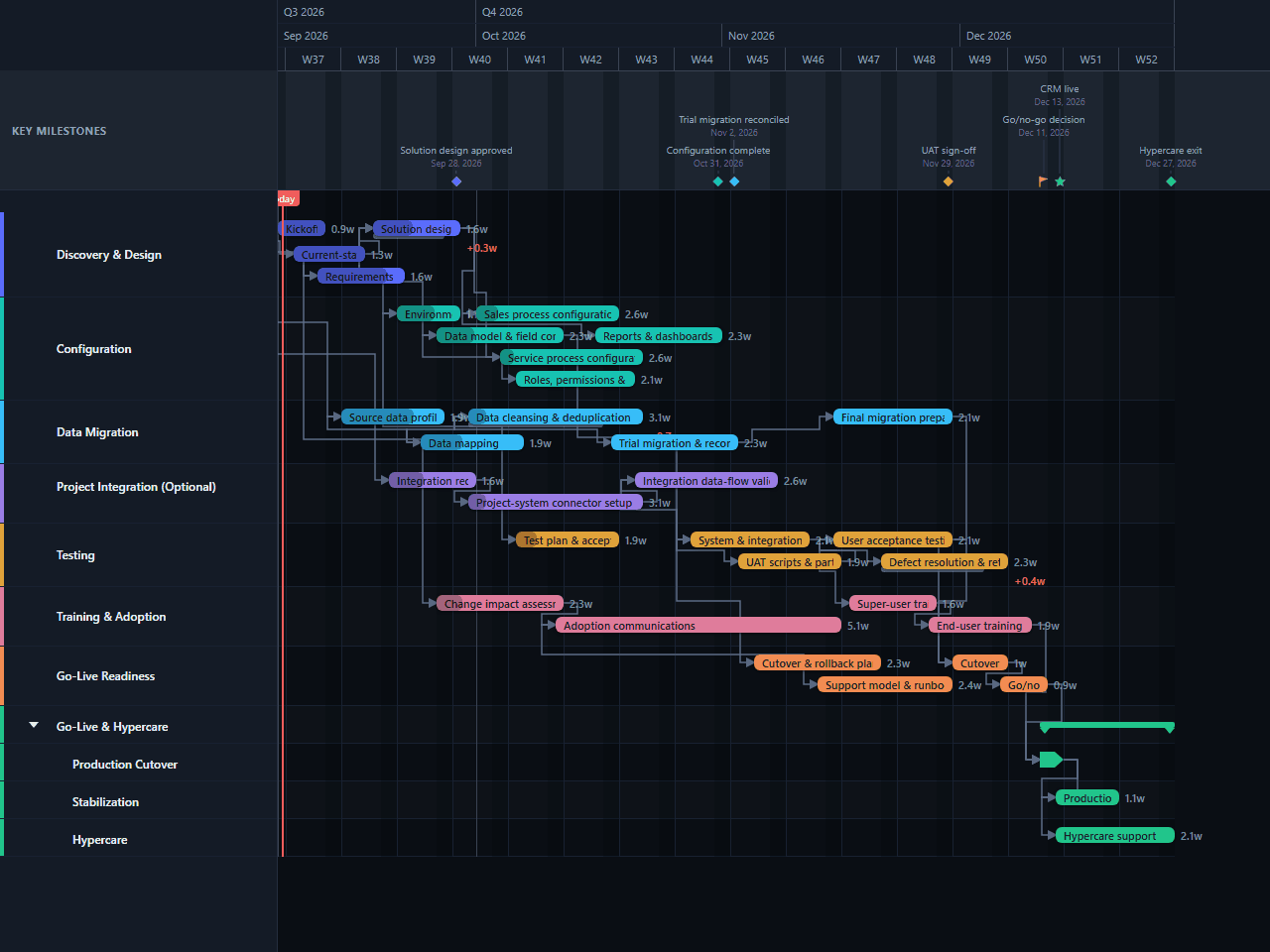
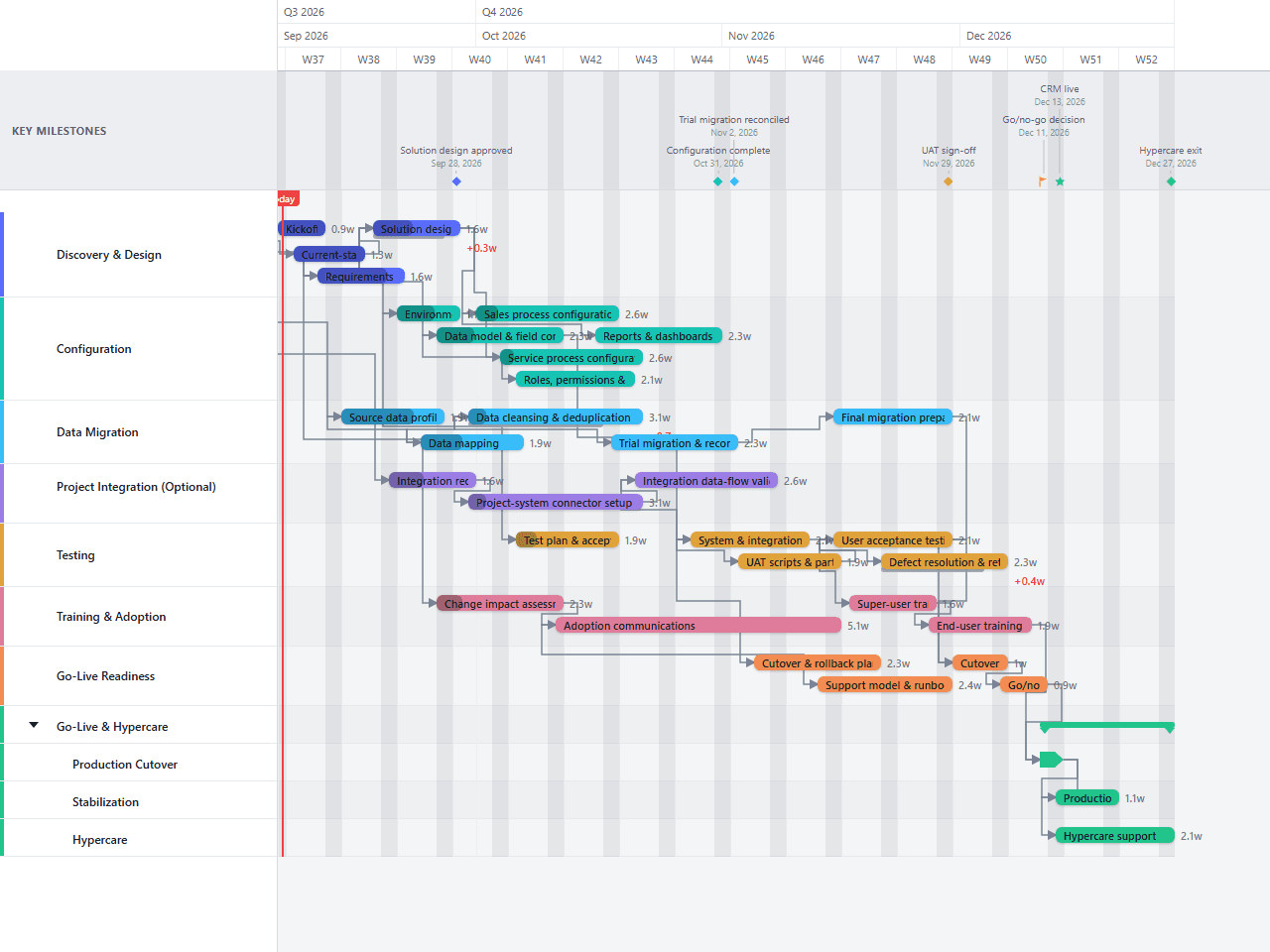
CRM Implementation Gantt Chart Template
An editable 16-week CRM implementation plan with parallel workstreams for solution design, configuration, data migration, an optional project-system integration, testing, training, cutover readiness, go-live, and hypercare. Useful for implementation leads who need a practical starting sequence without tying the plan to a specific CRM vendor.
- Discovery & Design
- Configuration
- Data Migration
- Project Integration (Optional)
- Testing
- Training & Adoption
- Go-Live Readiness
- Go-Live & Hypercare
Download the plan free as a CSV: phases, tasks, dates, and dependencies, ready to open in Excel, Google Sheets, or Numbers. Open it in GanttFlow instead and it drops in as a fully editable, presentation-ready Gantt chart (Pro).
A CRM implementation rarely runs as one neat sequence. Configuration starts while data is still being profiled, adoption work begins before testing is finished, and cutover planning has to mature while defects are still being resolved. This editable template lays those activities out as an illustrative 16-week schedule so the overlaps and handoffs are visible from the start.
Who this CRM implementation template is for
This template is for a CRM implementation lead, project manager, operations owner, or consultant coordinating a cross-functional rollout. It is vendor-neutral: the tasks describe implementation work rather than features or terminology from a particular CRM platform.
It assumes a single rollout with sales and service process configuration, one source-data migration, an optional connection to a project system, structured testing, user training, and a short hypercare period. The durations are illustrative estimates, not commitments from a software vendor or implementation partner.
What is included in the 16-week CRM plan?
Eight primary workstreams cover the work from kickoff to operational handoff. The final workstream separates production cutover, stabilization, and hypercare into child lanes so concurrent launch work remains readable.
Discovery & Design includes governance setup and current-state process review. The solution design approval milestone lands about two weeks after kickoff.
Configuration covers environments, the data model, sales and service processes, roles and permissions, reports, and dashboards. Several activities overlap after the design direction is stable enough to configure against.
Data Migration runs from data mapping through cleansing and deduplication, a reconciled trial migration marked by its own milestone, and final migration preparation ahead of go-live. Cleansing is deliberately visible as a substantial bar rather than being hidden inside a generic migration task.
Project Integration (Optional) covers integration requirements, connector setup, and data-flow validation for teams that exchange information between CRM and a project system. Delete this lane if the rollout has no such integration.
Testing includes acceptance criteria, system and integration testing, UAT preparation, user acceptance testing, and defect resolution with retesting.
Training & Adoption starts with change impact assessment, continues through communications, and finishes with super-user and end-user training near go-live.
Go-Live Readiness contains the cutover and rollback plan, support runbook, dress rehearsal, and the go/no-go review.
Go-Live & Hypercare shows the production migration and cutover, production validation, and two weeks of hypercare ending at the final milestone.
How the workstreams overlap
Kickoff opens in the first week of the plan, with current-state process review starting two days later and running alongside it. Data mapping begins before configuration is too far along to change, so migration risk surfaces early rather than at the end of the build.
Configuration starts during solution design. Data modelling, sales configuration, service configuration, access design, and reporting then run in parallel rather than waiting in a single queue. The optional integration work follows the same pattern: requirements begin during discovery, connector setup begins when those requirements close, and data-flow validation overlaps the wider build.
System testing runs in the second half of the plan. UAT preparation starts before system testing finishes, and defect resolution begins while UAT is underway. Training and readiness work also overlap that window, which keeps the schedule to 16 weeks without pretending that testing, communications, and cutover planning can happen in a final-week rush.
The final chain is intentionally firm: UAT scripts feed user acceptance testing, and super-user training feeds end-user training so hands-on sessions never run ahead of a confirmed configuration. The go/no-go readiness review feeds production validation directly, with the CRM live milestone sitting between them, followed by hypercare through week 16.
How to adapt the template
Replace the illustrative dates
Set kickoff to the real start date, then replace each duration with an estimate from the person or team doing the work. Keep the 16-week version as a reference only if its assumptions fit your scope.
Confirm the rollout scope
Rename or remove the sales and service configuration tasks to match the processes in scope. Delete the optional project-integration lane if no data crosses that boundary, or split it into one bar per external system if several integrations are involved.
Profile the source data early
Record volumes, duplicates, missing required values, ownership rules, and reconciliation thresholds. If those facts are unknown, lengthen the cleansing and trial-migration bars before accepting the go-live date.
Name the decision owners
Assign owners for solution approval, UAT sign-off, the go/no-go decision, and hypercare exit. A milestone without a named decision maker is only a date on a chart.
Baseline after design approval
Once scope, solution direction, and migration assumptions are agreed, save the baseline. Review any variance at the weekly project meeting and move the go-live milestone only through the agreed change process.
Limitations of this example
This is a schedule template, not a complete implementation method. It does not calculate team capacity, resource conflicts, licence procurement time, budget, vendor availability, or the impact of a multi-country rollout. It also does not replace a RAID log, detailed test scripts, a data reconciliation workbook, or a cutover runbook.
The 16-week duration is illustrative. A small rollout with clean data and limited configuration may finish sooner. Multiple business units, extensive customization, regulated data, several integrations, or phased deployment can extend the work considerably. Add lanes or rollout waves where those constraints are real rather than compressing them into the existing bars.
Start with the editable CRM implementation chart
Download the plan above free as a CSV, no account needed. Open it in GanttFlow Pro instead for the live, editable version with baselines and non-sequential dependency types, so migration, testing, and go-live stay visible as the real dates move.
Questions about this template
- How long does a CRM implementation take?
- This template uses an illustrative 16-week schedule from kickoff through hypercare exit. Actual duration depends on process complexity, source-data quality, integrations, approval cycles, and the number of users being trained. Treat the dates as a planning baseline and replace them with estimates from your implementation team.
- What phases should a CRM implementation plan include?
- A practical plan should cover discovery and solution design, configuration, data migration, integrations where needed, system and user acceptance testing, training and adoption, cutover readiness, go-live, and hypercare. This template keeps those workstreams visible in separate lanes so parallel work and handoffs are easy to review.
- Is the project-system integration required?
- No. The Project Integration lane is explicitly optional. Keep it if the CRM must exchange customer, opportunity, delivery, or status data with a project system; otherwise delete the lane and review the downstream system-testing dates before baselining the plan.
- When should CRM user training happen?
- Change assessment and communications can begin early, but hands-on training should use a stable configuration close to go-live. In this template super-user training begins during user acceptance testing, followed by end-user training that finishes four days before the CRM live milestone.
- What does this CRM template leave out?
- It does not estimate staffing capacity, licence procurement, budget, vendor lead times, or a detailed risk and issue register. Add those controls in the systems your team uses for resource, financial, and risk management, then reflect any resulting date constraints here.