
Product Delivery Gantt Chart Template
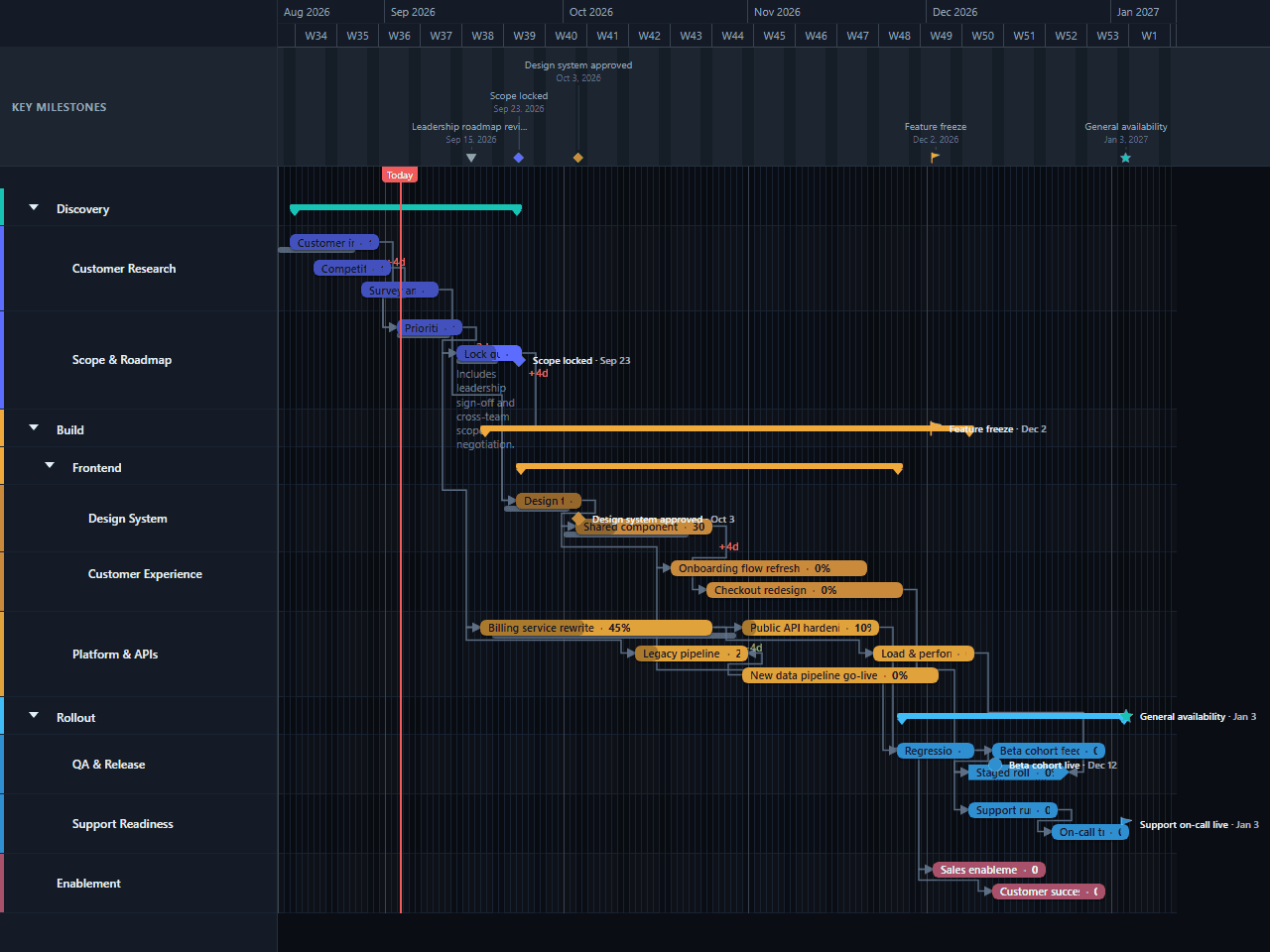
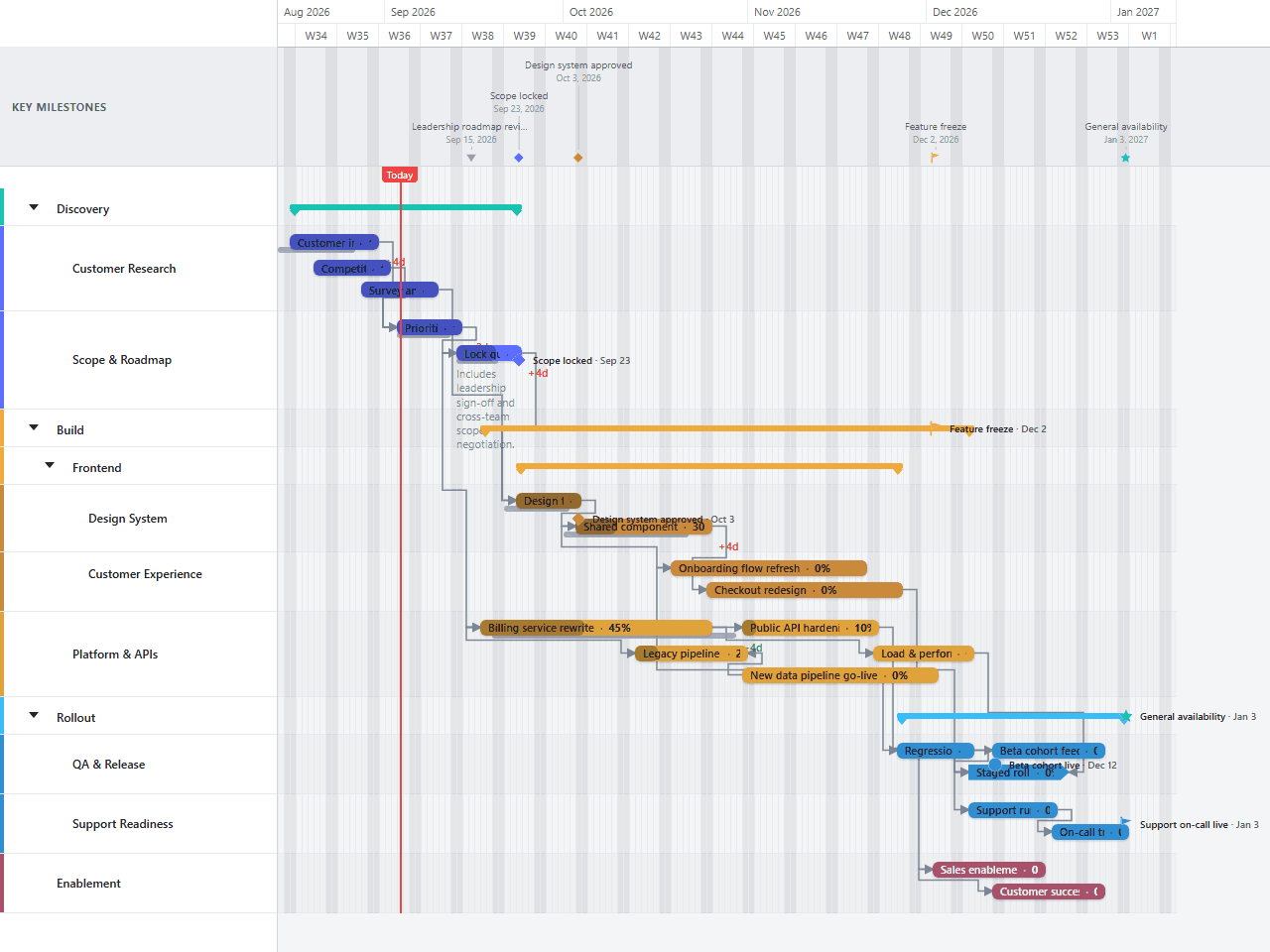
A product delivery timeline that nests customer research and scope work under Discovery, then splits Build into Frontend — itself split into a design system track and a customer-experience track — and Platform & APIs. Group summary brackets roll each phase up to one bar, baselines show where the schedule has already slipped or pulled ahead, and enablement work runs alongside the technical build so launch readiness isn’t an afterthought.
- Discovery
- Build
- Rollout
- Enablement
Download the plan free as a CSV: phases, tasks, dates, and dependencies, ready to open in Excel, Google Sheets, or Numbers. Open it in GanttFlow instead and it drops in as a fully editable, presentation-ready Gantt chart (Pro).
Most delivery plans fail in the same place. Not in the build, but in the gap between the engineering estimate and what the rest of the business thinks it heard. This template is built to close that gap: a full product cycle from customer research and scope-locking through build, rollout, and the enablement work that runs alongside it, laid out so a non-technical stakeholder can read it without a translator.
Who this product delivery template is for
This is a product manager's chart. It assumes you are accountable for a multi-month delivery, you have engineering capacity split across more than one workstream, and you have to explain the plan repeatedly to people who were not in the room when it was made: a leadership team, a customer success org, a board, a client.
It is deliberately not a project management system. There are no story points, no capacity model, no burndown. Those live in your tracker and they change daily. This is the artefact you put on a slide, and the value of it is that it stays legible across a four-and-a-half-month build; legible enough to survive scrutiny on the phase structure, not just the milestone names.
It works particularly well when you need to defend a scope decision. A chart showing that scope locked on a specific date, with an honest variance label next to it, is a much stronger argument than a verbal "we already decided that, and yes, it slipped a bit."
What phases are in a product delivery timeline?
The template ships with four top-level phases, nested three lanes deep in the middle of the build:
Discovery contains two sub-lanes. Customer Research holds the interview pipeline and a survey-analysis pass, both starting before the timeline's own zero point, a deliberate choice, because discovery work almost always predates the build it feeds. Scope & Roadmap holds backlog prioritisation and the scope-locking work that closes the phase.
Build splits into Frontend and Platform & APIs, and Frontend splits again, into Design System (the tokens and component audit) and Customer Experience (the checkout redesign that consumes that library). That's the three-deep structure: Build contains Frontend, Frontend contains Design System and Customer Experience. Platform & APIs sits alongside Frontend at the second level, carrying the billing rewrite, a new data pipeline going live, and the load and performance testing that follows it.
Rollout splits into QA & Release (a staged rollout with a beta cohort feedback loop) and Support Readiness (the runbook and on-call training that have to exist before general availability, not after).
Enablement is a single top-level lane: a sales enablement deck and a customer success playbook, running alongside the technical build rather than after it, because a launch nobody outside engineering is ready for is not actually a launch.
How long does each phase take?
Discovery's visible portion runs through scope lock, about five weeks after the chart's own start, though the interview pipeline and survey analysis both extend backwards before that, because research that begins when the build begins is research that arrives too late to shape it. Scope itself is currently tracking a few days behind its baseline, which the chart shows rather than hides.
Build follows scope lock: the design system takes about a week and a half and feeds the checkout redesign, while the billing rewrite runs on its own schedule alongside it and feeds load and performance testing once it's done. The whole phase runs into mid-November.
Rollout and Enablement share the back third of the timeline. Support runbook work and on-call training run through mid-November while staged rollout is underway, converging on a beta cohort going live the same week feature freeze lands, with the sales enablement deck and customer success playbook wrapping in the final week and a half.
Which dependencies actually matter here?
The template ships with three dependencies, deliberately few. A dense dependency web looks thorough and reads as noise; this one keeps only the links that actually gate real work.
Two are plain finish-to-start: the billing rewrite has to finish before load and performance testing can begin, and the support runbook has to exist before on-call training starts on it. GanttFlow does not calculate or verify a critical path, so confirm which chain actually controls your delivery date before you present it.
One is start-to-start: the customer success playbook is keyed to when the sales enablement deck starts, not when it finishes, the two enablement tracks run on genuinely independent schedules, and playbook work is already under way before the deck ships. That's the shape start-to-start is for: work that has to begin in step with something else, not wait for it to be signed off.
What to change for your own project
Work through it in this order:
Move the start date
Hold Shift while dragging the first bar to your planned start if every downstream task and linked milestone should move by the same offset. A normal drag moves only the first bar. Review the resulting dates because GanttFlow does not enforce dependency constraints.
Rename the sub-lanes to match your teams
Design System and Customer Experience are placeholders for how one team's work actually splits. If your org doesn't have that split, collapse them back into a single Frontend lane: the three-deep structure is there because it's common, not because it's mandatory.
Fix the five milestones
Scope locked, design system approved, feature freeze, and beta cohort live are the dates people will actually remember, plus the ribbon-only leadership roadmap review, which never needs a grid marker. Set them to real, committed dates before you show anyone.
Set progress and the baseline honestly
The template ships with progress already filled in on the tasks that would realistically be underway by now, and one baseline on scope lock so you can see a real variance label. Replace these with your real numbers before your first review, then leave the baseline alone: its value is in staying fixed while the current planned bar moves.
Decide whether you need a fourth dependency type
This template deliberately keeps only finish-to-start and start-to-start links. If your build has a genuine start-to-finish or finish-to-finish constraint (a legacy system that can't retire until a replacement starts taking traffic, say), add it rather than forcing the relationship into a type that doesn't actually describe it.
Common mistakes with product delivery charts
Starting the chart at the first commit. It makes the estimate look unfounded and gives you nowhere to point when someone asks why scope cannot change.
One bar per team per quarter. A twelve-week "Build" bar communicates nothing except that the build team is busy. Break it at the points where the work genuinely changes shape, and nest it, if a phase genuinely has sub-teams with their own sub-teams.
Milestones on every deliverable. If everything is a milestone, nothing is. This template ships with five across roughly four and a half months; that's closer to the ceiling than a floor to build toward.
Rebuilding the chart each month instead of dragging it. The baseline comparison is the value. A chart with an honest variance label is credible; a chart with none, on a build this long, reads as a chart nobody has checked against reality.
Hiding the rollout and enablement work. Support readiness and sales enablement are where delivery dates actually go to die, and they're the phases most often collapsed into a single day at the end, or left off the chart entirely.
Turning this into a chart you can present
The chart is the deliverable: that is the whole reason to keep it separate from your tracker. Once the dates are yours, export a PNG for the weekly update and a PDF for anything that needs to survive being forwarded. Neither requires the recipient to have an account, log in, or learn a tool, which is usually the difference between a plan that gets read and one that gets skipped.
Questions about this template
- How long should a product delivery timeline be?
- Three to six months tends to be the maintainable range: long enough to show real phase structure, short enough that the later bars are still commitments rather than guesses. This template runs about nineteen weeks, from discovery already in progress through the design system's approval, feature freeze, and a beta cohort going live. That's close to five months on purpose: three build sub-tracks converging honestly needs more runway than a single quarter gives it.
- Why does this template nest three levels of lanes?
- Because Build isn't one team's work. Frontend alone splits into a design system track and a customer-experience track that consume it, two different rhythms under one phase. Nesting Design System and Customer Experience under Frontend, and Frontend and Platform & APIs under Build, lets each level roll up to a single summary bar for a leadership view while the detail underneath stays fully editable. Two levels is usually enough; three is what it takes when a phase genuinely has sub-teams with their own sub-teams.
- Why is Support Readiness a separate lane from the technical build?
- Because the runbook and on-call training that go into Support Readiness have to exist before general availability, not after it. Putting them in their own lane under Rollout, running in parallel with staged rollout rather than tacked onto the end of the chart, keeps that reality visible instead of implying support prep is something you do once the build is finished.
- How do I show that a task slipped without redrawing the chart?
- Set a baseline before you present the plan, then update the current planned dates as the schedule changes. The original dates stay visible as a thin bar behind the task, with a variance label next to it. This template ships with one task already running behind its baseline (scope lock, tracking a few days late) so you can see what a real variance looks like before you set your own.
- Can I use this template if my team does not work in quarters?
- Yes. Nothing in the template is tied to a fiscal calendar. Shift-drag the first bar to your planned start date when the whole downstream chain should move by the same offset, or switch the timescale from days to weeks so a longer programme fits on one screen.