
How to Show Project Delays in a Gantt Chart
Use a baseline to compare planned dates against current ones, and report the delay honestly rather than quietly rescheduling around it.
The problem this solves
Without a way to record what was originally agreed, a Gantt chart can only ever show its current state. Drag a task later, and the chart simply shows a project on schedule for the new dates; the fact that anything moved at all disappears the moment you release the drag. That's a real credibility problem the first time someone in the room remembers the original date and the chart shows no evidence it ever existed.
Showing a delay honestly means keeping both dates visible: what was agreed, and what's actually planned now. That's what a baseline is for.
Set a baseline before the plan needs to be trusted
Record the agreed dates as a baseline at the point the plan becomes a real commitment: budget approval, contract signature, architecture sign-off, whatever moment makes sense for your project. See tracking schedule slip with a baseline for the full mechanics of setting one.
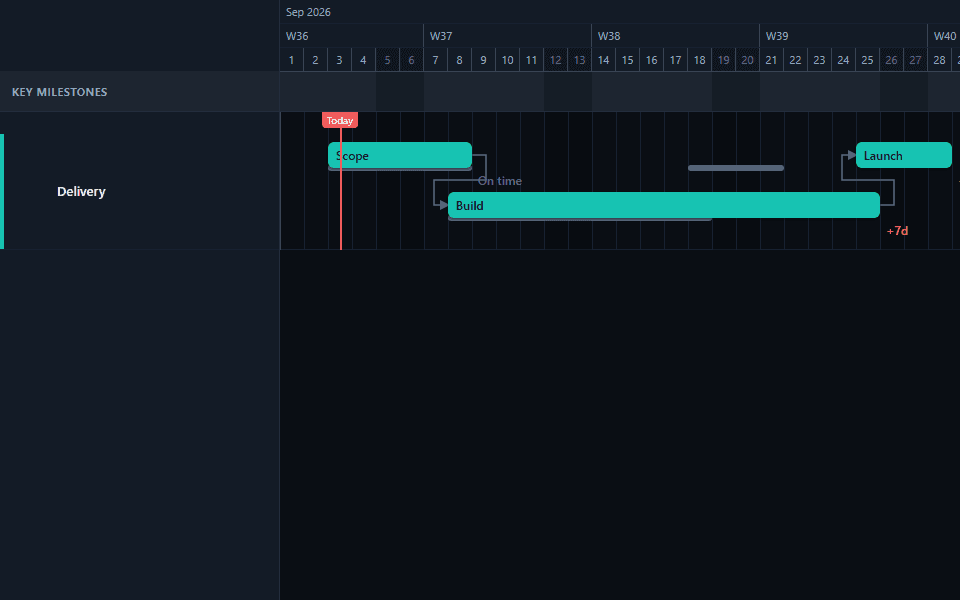
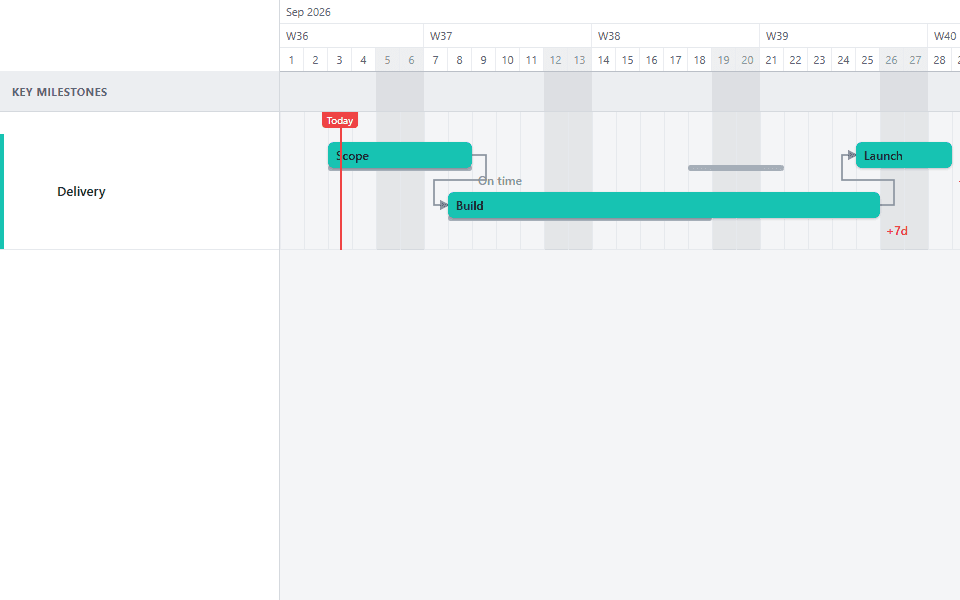
Let the variance label show the delay
Once a task's dates move after the baseline was set, GanttFlow shows the gap automatically as a variance label, such as "+7d." You don't need to calculate or describe the delay separately; the chart already shows it.
Report the delay with its cause, not just its size
A variance label states how far the schedule moved. It says nothing about why. Pair every delayed chart you share with a short written note explaining the cause and, if relevant, whether it threatens the project's finish date.
Reporting a delay well versus reporting it badly
The mechanics of showing a delay are simple once a baseline exists. The judgment is in how you frame it, and this is where a technically accurate chart can still land badly.
Badly: sending a chart with a red variance label and no explanation, leaving the reader to guess whether this is a minor slip or a serious problem, and whether it's your fault, a dependency's fault, or nobody's fault at all.
Well: stating plainly what moved, by how much, why, and whether it changes the project's overall finish date. "The user acceptance testing task moved 6 days later because the vendor's environment wasn't ready on the agreed date. This does not currently affect the go-live date, since there was 4 days of slack in that chain" tells the reader everything the variance label alone cannot.
The chart provides the evidence. The written note provides the explanation. Sending one without the other leaves the audience doing work they shouldn't have to do.
Delays that cascade versus delays that don't
Not every delayed task threatens the project's finish date, and conflating the two is one of the most common reporting mistakes. A task with slack (meaning nothing downstream is waiting on it at the moment it slips) can move without changing anything else. A task on the chain that actually controls the finish date cannot slip without the finish date moving too, unless something else is cut to compensate.
If a delay was caused by a Shift-drag cascading through several linked tasks, every one of those downstream items will show variance once baselined, even though only the first task actually experienced an independent delay. Frame this correctly when reporting it: one thing slipped, and several things inherited the same change. Presenting nine red variance labels as nine separate problems overstates what actually happened.
A worked example, start to finish
A task called "Vendor environment setup" was baselined to finish on a Friday. It actually finished the following Wednesday, a four-day slip. Two downstream tasks were linked to it: "Integration testing" and "Documentation review." Documentation review had slack in the schedule and absorbed the delay with no visible effect on the finish date. Integration testing did not, and without intervention would have pushed the project's go-live date by the same four days.
The report that goes out: "Vendor environment setup slipped 4 days due to a delay on the vendor's side, outside our control. Documentation review absorbed this with no impact. Integration testing did not have slack, so without a schedule adjustment this pushes go-live by 4 days. We're evaluating whether to compress integration testing by running two of its sub-tasks in parallel, or accept the 4-day push. Decision needed by Thursday." That's a complete report: size, cause, downstream impact stated precisely rather than vaguely, and a concrete next step with a deadline attached.
Compare that to what the chart alone would show without the note: two red variance labels of the same size, with no way for a reader to tell that one matters and one doesn't.
What a delay report should always include
The size of the delay, from the variance label directly, in days.
The cause, in a sentence, distinguishing a genuine external delay from a scope change from an estimation error. These are different problems and reporting them identically hides which lever actually needs pulling to prevent a repeat.
Whether it affects the overall finish date, stated explicitly rather than left for the reader to infer from the chart alone. GanttFlow doesn't calculate a critical path, so this judgment is yours to make and state.
What, if anything, is being done about it. A delay report with no response attached reads as passive even when a plan is already in motion to address it.
Common mistakes
Re-baselining immediately after every delay. This resets the comparison and erases exactly the history a baseline exists to preserve. Only re-baseline after a formally agreed change of scope or dates, not as a way to make the chart look on-schedule again.
Reporting variance without cause. A number with no explanation invites the reader to assume the worst, or to assume nothing, neither of which is useful. Always pair the label with a sentence of context.
Treating every red label as equally serious. A three-day variance on a fourteen-week task and a three-day variance on a one-week task represent very different proportions of overrun. Read variance relative to the task's length, not as an absolute number.
Waiting until the deadline to report a known delay. The earlier a delay is visible and explained, the more options exist to respond to it. A baseline makes the delay visible the moment it happens; use that visibility rather than deferring the conversation.
See baseline reporting on a real plan in the product delivery template, which includes a mix of on-time and variance-showing tasks so the pattern is visible without needing to create test data yourself.
Common questions
- What's the difference between showing a delay and just moving the dates?
- Moving the dates on a chart with no baseline erases the evidence that a delay happened at all: the chart simply shows a project that's always been on schedule for whatever schedule it currently has. Showing a delay means the chart still displays the originally agreed dates alongside the new ones, so the gap between them is visible rather than silently absorbed.
- Can I show a delay without using GanttFlow's baseline feature?
- Not with the same rigor. Without a baseline, the only way to communicate a delay is manually, in writing, alongside a chart that no longer shows the original dates. That works for a single status update but doesn't scale to a project reporting delays over months, since there's no recorded reference point to measure against later. A baseline is what makes the comparison durable rather than a one-time note.
- How do I show a delay that was caused by scope changing, not just running late?
- The baseline variance label shows that a date moved, not why. If the cause was a genuine scope change rather than the original work simply taking longer, say so explicitly in the written commentary next to the chart. Treating a scope-driven date change as identical to a plain delay in your reporting understates that the underlying agreement changed, not just the calendar.
- Should I hide a delay until it's resolved?
- No. A chart with a visible, explained delay is more credible over time than one that always looks perfectly on schedule until a deadline is missed with no warning. Reporting a delay as soon as it's known, with its cause and its downstream impact, is what a baseline and honest variance reporting are for.
- What if a delay in one task doesn't actually delay the whole project?
- Say that explicitly rather than letting a variance label imply otherwise. A task can slip without changing the project's overall finish date if it had slack, wasn't on the controlling chain of work, or the delay is being absorbed elsewhere. State plainly whether a given delay is threatening the finish date or not; the variance label alone doesn't distinguish the two.